
YCMOU Exam Form 2026: Filling Process, Fee and Last Date
Yashwantrao Chavan Maharashtra Open University (YCMOU) conducts online exam form submission for undergraduate and postgraduate learners via its Digital University portal. Students must ensure their mandatory YASH Card is activated from their study centre and submit their 12-digit ABC ID prior to form submission. As of 02 October 2026, YCMOU has not published the specific fee structure or last date for upcoming exam forms on its official site.
Key facts
| Portal Type | Digital University Student Portal |
|---|---|
| Mandatory ID Card | YASH Card (activated at Study Centre) |
| Prerequisite ID | 12-digit Academic Bank of Credits (ABC) ID |
| Payment Print Delay | Wait 2 hours if receipt issued but print link disabled |
| Exam Form Notice Date | 10/08/2026 (Summer Exam 2026) |
YCMOU Exam Form Submission Portals & Login Rules
YCMOU provides online exam form submission login options based on the student’s Permanent Registration Number (PRN). Students must log into the appropriate portal on the YCMOU exam form submission page depending on their registration batch.
- PRN starting with 25 or 26: Log in through the New Student Portal for exam form filling.
- PRN starting with 20: Log in through the Existing DU Student Portal.
- YASH Card Activation: Activating the YASH Card is mandatory to appear for examinations. UG and PG students whose PRN starts with 25, or students with PRN starting with 20 admitted in Academic Year 2025-2026, must collect their YASH Card from their study centre and get it activated immediately.
Step-by-Step Online Exam Form Filling Process
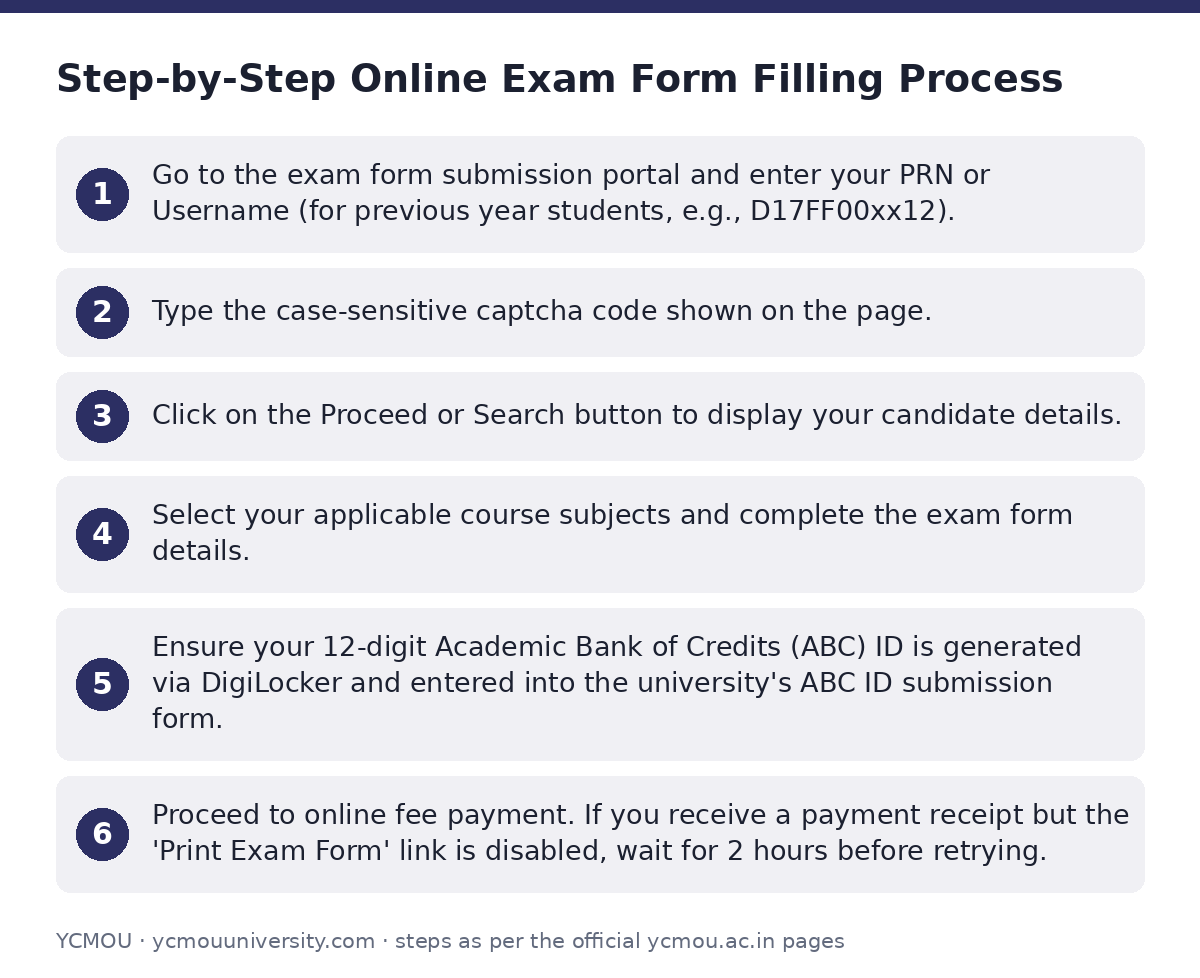
Students who need to submit their exam form can access the portal on the YCMOU repeater exam form portal and follow these steps:
- Go to the exam form submission portal and enter your PRN or Username (for previous year students, e.g., D17FF00xx12).
- Type the case-sensitive captcha code shown on the page.
- Click on the Proceed or Search button to display your candidate details.
- Select your applicable course subjects and complete the exam form details.
- Ensure your 12-digit Academic Bank of Credits (ABC) ID is generated via DigiLocker and entered into the university’s ABC ID submission form.
- Proceed to online fee payment. If you receive a payment receipt but the ‘Print Exam Form’ link is disabled, wait for 2 hours before retrying.
YCMOU Exam Form Dates and Notifications
YCMOU has not published the detailed fee schedule or last date for submitting exam forms on its site as of 02 October 2026.
YCMOU Exam Form Circulars and Notifications
| Circular Title | Publication Date |
|---|---|
| Summer Exam 2026 Exam Form Notice | 10/08/2026 |
| Instructions Regarding Exam Form Submission | 05/08/2026 |
Troubleshooting Exam Form Errors and Discrepancies
If the exam form submission system shows ‘no records found’ after entering your PRN or Username, it may be due to one of the following reasons:
- The PRN or Username entered is incorrect.
- The student’s course is not applicable for inward or form submission.
- The inward date or last date for form submission has been exceeded.
- The student’s result was revised and updated to passed status.
Examination Section Contact Information
For queries or complaints regarding exam time tables, seat numbers, exam centers, or form submissions, students can contact the university directly using details on the YCMOU contact us section.
- Correspondence Address: Deputy Registrar, Exam Section 1/2/3, Y.C.M. Open University, ‘Dnyangangotri’, Near Gangapur Dam, Nashik – 422222
- Helpline Numbers: (0253) 2230716, 2280058, 2230013
- Agriculture Department Exam Queries: Krishi Vidnyan Kendra, Tel: (0253) 2230698, 2230054
Important YCMOU links
| What you can do | Official page |
|---|---|
| open student login for exam form submission | ycmou.digitaluniversity.ac/Content.aspx?ID=1538 |
| access repeater exam form submission portal | ycmou.digitaluniversity.ac/PreExamv2_ExamformSubmission_Pp |
| view exam form notices and timetables | ycmou.digitaluniversity.ac/Content.aspx?ID=1579 |
| contact examination division helpline numbers | ycmou.ac.in/contact-us/ |
Official documents (PDF)
- Download PDF — YCMOU exam schedule web links for academic year programs
Frequently asked questions
Is YASH Card mandatory for YCMOU exam form submission?
Yes, activating the YASH Card is mandatory for appearing in examinations. UG and PG students with PRN starting with 25 or PRN starting with 20 (admitted in AY 2025-2026) must collect and activate their YASH Card from their study centre.
What should I do if the Print Exam Form link is disabled after fee payment?
If you have received a payment receipt but the Print Exam Form link is disabled or unavailable for download, wait for 2 hours before checking the portal again.
How do I link my ABC ID with my YCMOU exam form?
You must generate a 12-digit ABC ID on DigiLocker and then fill out the official YCMOU ABC ID Google Form link provided on the submission portal to enter your ID correctly.
Why is the portal showing no records for my PRN during exam form filling?
Records may fail to display if your PRN/Username is incorrect, your course is not eligible for form submission, the submission last date has passed, or your result was revised to passed.
Who should I contact for YCMOU exam form discrepancies?
You can reach out to the Deputy Registrar at the Exam Section in Nashik by calling (0253) 2230716, 2280058, or 2230013.
Sources
Written from the official YCMOU pages and documents below, as read on 2 October 2026.
- Exam Form Submission ycmou.digitaluniversity.ac/…/Content.aspx
- Online Exam form for Repeaters ycmou.digitaluniversity.ac/…/PreExamv2_ExamformSubmission_PpAmAtWise.
- time table1 — Hall Tickets ycmou.digitaluniversity.ac/…/Content.aspx
- Contact Us ycmou.ac.in/…/contact-us