
YCMOU Admission 2026: Step-by-Step Application Process
YCMOU offers online admissions for undergraduate, postgraduate, diploma, and certificate programmes across two academic sessions (January and July). Fresh applicants and existing students apply through designated online portals based on their Permanent Registration Number (PRN). Admission for the July 2026 session is closing soon as of 02 October 2026.
Key facts
| July 2026 Admission Status | Closing soon |
|---|---|
| New Portal Eligibility | Freshers and PRN starting with 25 or 26 |
| Old Portal Eligibility | Existing students with PRN starting with 20 (SY/TY only) |
| Courses with CET | BCA, B.Sc (Data Science), MCA, MBA |
| Help Desk Phone | (0253) 2230106 / 9307579874 |
| Technical Support Email | nondani@ycmou.digitaluniversity.ac |
Portal Selection based on PRN
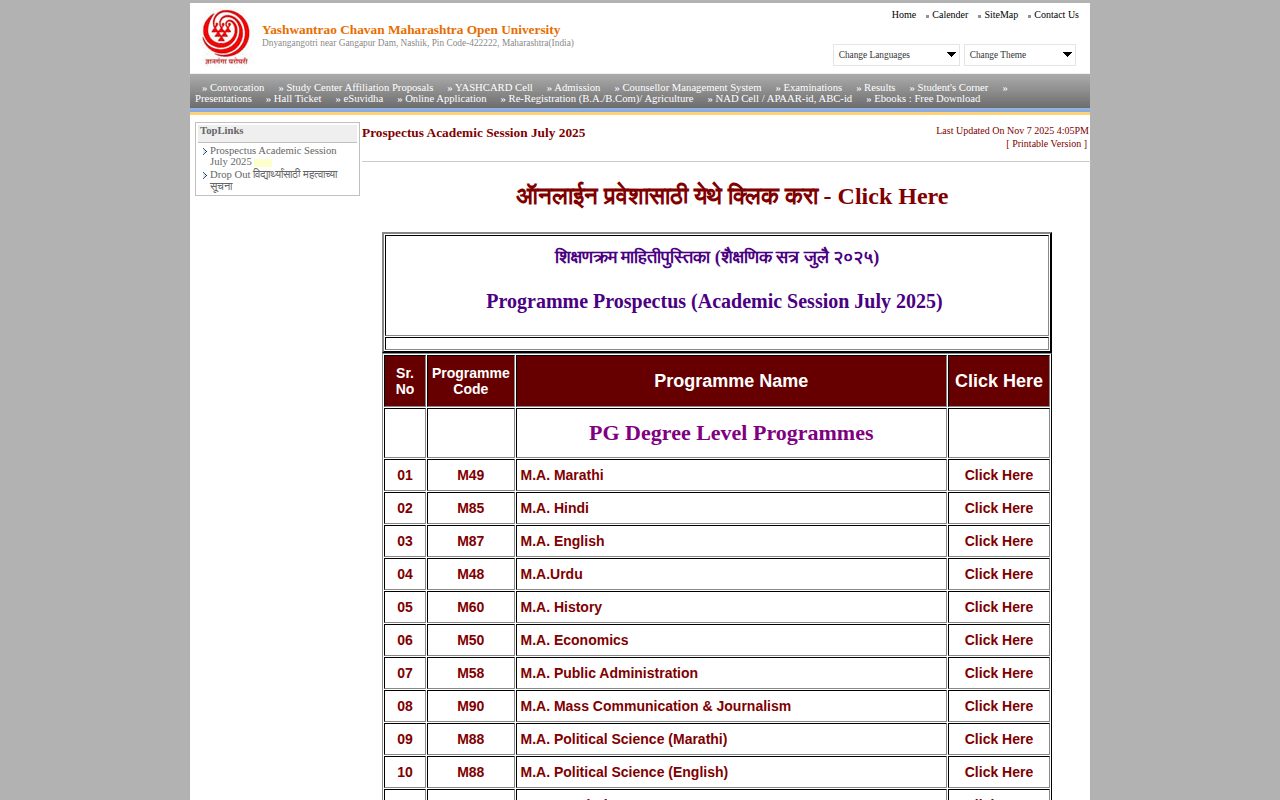
YCMOU routes applicants through two distinct online admission portals depending on their student registration status and Permanent Registration Number (PRN).
- New Admission Portal: For fresh applicants taking admission for the first time, or existing students whose PRN begins with 25 or 26 applying for Second Year (SY) or Third Year (TY). Example PRN format: 2507033500000000.
- Old Admission Portal: Reserved exclusively for existing students whose PRN begins with 20 and who are applying for Second Year (SY) or Third Year (TY) admission. Example PRN format: 2024017000000000.
Step-by-Step Online Application Process
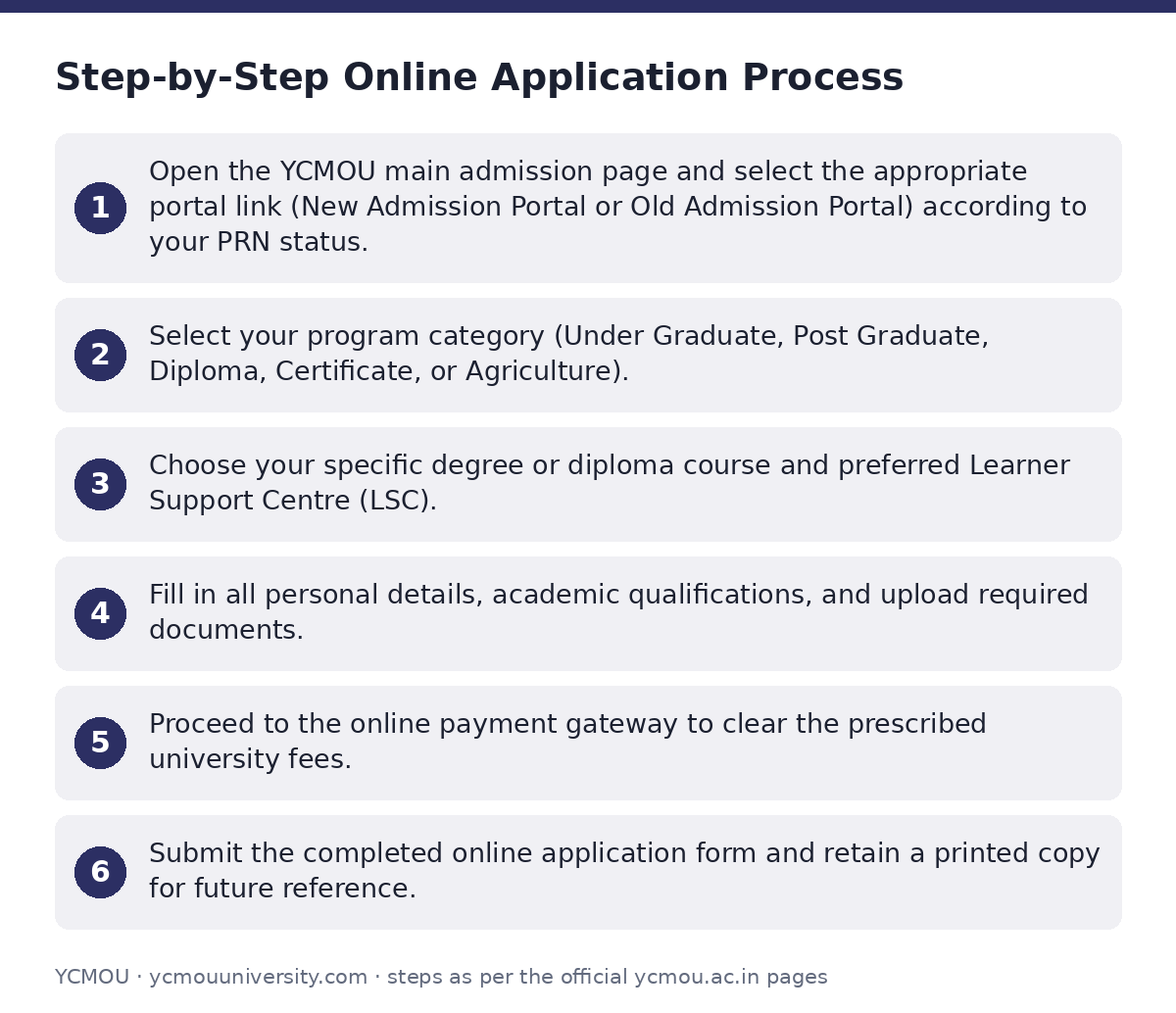
Candidates applying for distance or online programmes for the July 2026 session must complete their application online on the YCMOU July 2026 admission portal.
- Open the YCMOU main admission page and select the appropriate portal link (New Admission Portal or Old Admission Portal) according to your PRN status.
- Select your program category (Under Graduate, Post Graduate, Diploma, Certificate, or Agriculture).
- Choose your specific degree or diploma course and preferred Learner Support Centre (LSC).
- Fill in all personal details, academic qualifications, and upload required documents.
- Proceed to the online payment gateway to clear the prescribed university fees.
- Submit the completed online application form and retain a printed copy for future reference.
Entrance Examinations (CET) for Specific Programmes
Certain professional degrees require candidates to clear a Common Entrance Test (CET) before confirming admission.
- Regular Programmes CET: Mandatory entrance registration is required for Regular BCA, B.Sc (Data Science), MCA, and MBA (P79).
- Online Programmes CET: Separate entrance registration links are published for Online MBA, Online BCA, and Online MCA programmes.
- B.Ed Programmes: Admission notifications and application links for P108 B.Ed. In-service (2026–28) and P21 B.Ed. Special Education (2026–29) are released through dedicated links on the portal.
Weekly Review Meetings for Admission 2026–27
The university tracks and reviews the progress of admissions weekly during the admission cycle. Meeting reports are made available on the YCMOU admission review reports page.
Admission Review Meeting Reports 2026
| Sr. No. | Report Title | Date |
|---|---|---|
| 1 | Weekly Review Meeting Report | 23-Jun-2026 |
| 2 | Weekly Review Meeting Report | 30-Jun-2026 |
| 3 | Weekly Review Meeting Report | 14-Jul-2026 |
| 4 | Weekly Review Meeting Report | 20-Jul-2026 |
| 5 | Weekly Review Meeting Report | 27-Jul-2026 |
| 6 | Weekly Review Meeting Report | 11-Aug-2026 |
| 7 | Weekly Review Meeting Report | 17-Aug-2026 |
| 8 | Weekly Review Meeting Report | 25-Aug-2026 |
| 9 | Weekly Review Meeting Report | 01-Sep-2026 |
| 10 | Weekly Review Meeting Report | 15-Sep-2026 |
| 11 | Weekly Review Meeting Report | 24-Sep-2026 |
| 12 | Weekly Review Meeting Report | 29-Sep-2026 |
Admission Help Desk and Contact Details
Students needing assistance regarding available courses, technical errors, or online payment issues during the admission process can reach out to the YCMOU help desk.
- Working Days & Hours: Monday to Friday and 2nd/4th Saturdays (Closed on 1st & 3rd Saturdays and all Sundays). Working hours are 10:00 AM to 1:30 PM and 2:00 PM to 5:30 PM.
- Technical & Course Mobile Numbers: 9307579874, 9307567182, 9272046725
- Landline Numbers: (0253) 2230106, (0253) 2231714, (0253) 2231715, (0253) 2230580
- Registration Email: nondani@ycmou.digitaluniversity.ac
- Online Payment Issue Email: ycmou_support@unisuite.in
Important YCMOU links
| What you can do | Official page |
|---|---|
| Access July 2026 online admission portal | ycmou.digitaluniversity.ac/Content.aspx?ID=1557 |
| View January 2026 prospectus categories | ycmou.digitaluniversity.ac/Content.aspx?ID=1513 |
| Browse July 2026 prospectus categories | ycmou.digitaluniversity.ac/Content.aspx?ID=1550 |
| Check weekly admission review meeting reports | ycmou.ac.in/admission-2026-27-weekly-review-meeting-report |
| Access 2025-26 admission notifications and portals | ycmou.digitaluniversity.ac/Content.aspx?ID=1322 |
| View main admission portal links | ycmou.digitaluniversity.ac/Content.aspx?ID=1482 |
Official documents (PDF)
- Download PDF — List of Learner Support Centres and admission counsellors 2025-26
- View — View PDF — Admission overview meeting report PDF dated 23 June 2026
Frequently asked questions
Are there entrance exams for YCMOU courses, specifically B.Ed?
YCMOU conducts entrance tests (CET) for specific courses such as MBA, MCA, regular BCA, and B.Sc (Data Science). For B.Ed (P108 In-service) and B.Ed Special Education (P21), YCMOU issues dedicated admission notifications and registration links on its admission portal.
Can I transfer credits from another university to YCMOU?
YCMOU has not published details or rules regarding credit transfer from other universities on its portal as of 02 October 2026.
What is the admission process for the YCMOU B.Ed course?
Candidates seeking admission to P108 B.Ed (In-service) or P21 B.Ed (Special Education) must access the specific B.Ed admission links published on the portal, complete the online application, upload requested credentials, choose an authorized study center, and pay fees online.
Is there an entrance exam (CET) for the YCMOU B.Ed course?
The university’s portal lists CET registration specifically for regular and online MBA, MCA, BCA, and B.Sc Data Science. B.Ed courses follow separate admission notification links published by the university.
What is the admission process for YCMOU courses?
Applicants must select their programme category, choose the New Portal (if fresher or PRN starts with 25/26) or Old Portal (if PRN starts with 20), fill in the online application form, select a study center, and pay fees online.
How to get admission to YCMOU?
To get admission, navigate to the active session admission page, pick your qualification level (UG, PG, Diploma, or Certificate), complete the form with correct details, and submit payment prior to the closing deadline.
Which admission portal should I use if I am a fresh applicant?
Fresh applicants taking new admission, or students with PRNs beginning with 25 or 26 applying for SY or TY, must use the New Admission Portal.
Who should use the Old Admission Portal for YCMOU admissions?
The Old Admission Portal is reserved for students who already possess a PRN starting with 20 and are applying strictly for Second Year (SY) or Third Year (TY) admission.
Sources
Written from the official YCMOU pages and documents below, as read on 2 October 2026.
- Admission July 2026 ycmou.digitaluniversity.ac/…/Content.aspx
- Prospectus Academic Session July 2026 ycmou.digitaluniversity.ac/…/Content.aspx
- Welcome to Yashwantrao Chavan Maharashtra Open University ycmou.ac.in/…/admission-2026-27-weekly-review-meeting-
- Admission January 2025 Session ycmou.digitaluniversity.ac/…/Content.aspx
- January-2025 Session admission links ycmou.digitaluniversity.ac/…/Content.aspx
- Admission 2025-26 ycmou.digitaluniversity.ac/…/Content.aspx