
YCMOU Certificates: Migration, Degree, Transcript and Convocation
YCMOU issues digital degree and diploma certificates through DigiLocker using a student’s PRN, Seat Number, Name, and Passing Year. Physical convocation degree certificates are distributed following university convocation events or dispatched via post with India Post consignment tracking. Specific online application processes for migration certificates and transcripts have not been published on the site as of 02 October 2026.
Key facts
| Digital Certificate Portal | DigiLocker (digilocker.gov.in) |
|---|---|
| Required Details for DigiLocker | PRN, Seat Number, Name, Passing Year |
| Latest Convocation | 31st Convocation on 04 February 2026 |
| Postal Tracking Method | India Post tracking via Bar Code |
| SFC Support Helpline | 0253-2230734 / 0253-2231715 / 0253-2230058 |
| SFC Support Email | ycmousfc@gmail.com |
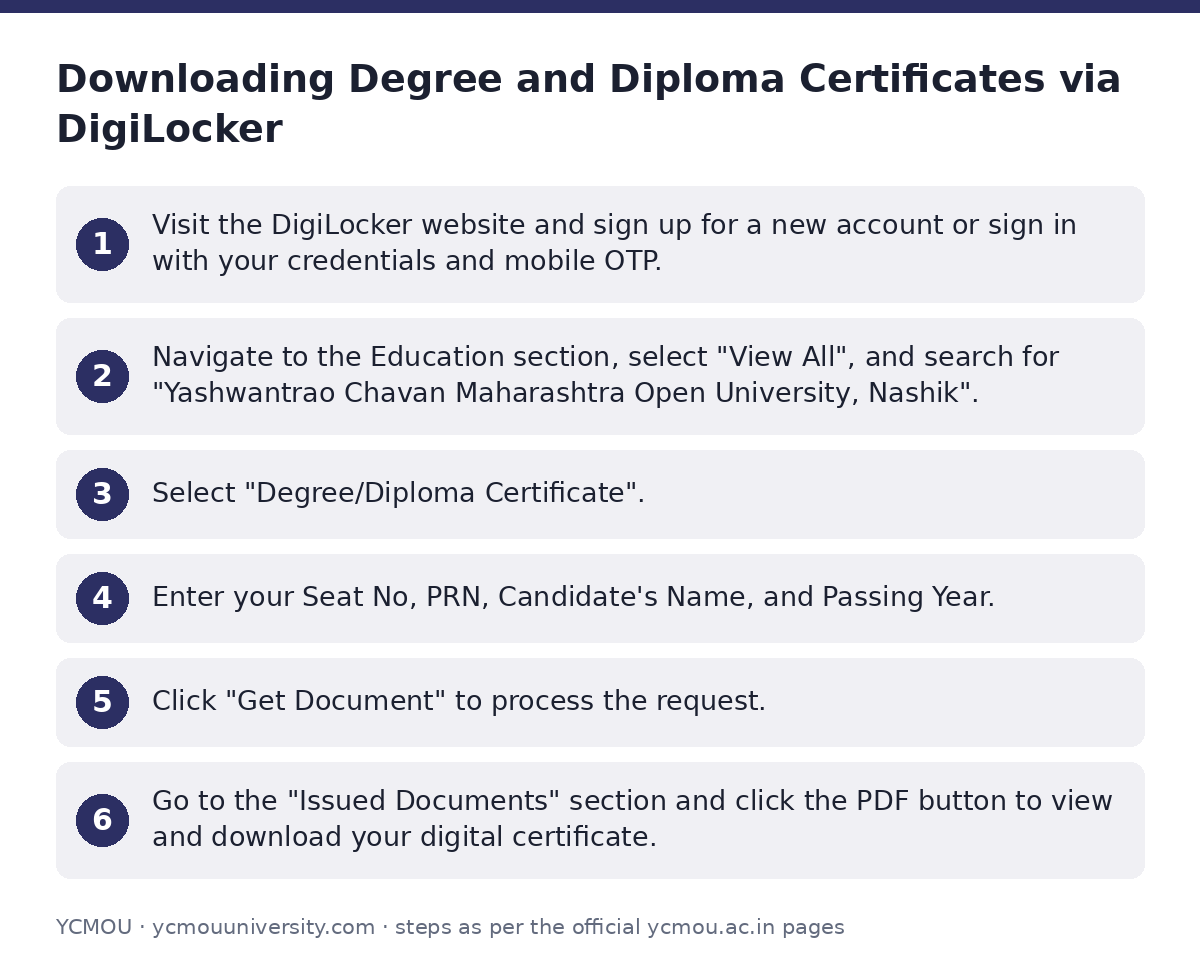
Downloading Degree and Diploma Certificates via DigiLocker
Yashwantrao Chavan Maharashtra Open University provides digital degree and diploma certificates through DigiLocker. Students can pull verified digital certificates into their DigiLocker account and download them as PDF documents.
- Visit the DigiLocker website and sign up for a new account or sign in with your credentials and mobile OTP.
- Navigate to the Education section, select “View All”, and search for “Yashwantrao Chavan Maharashtra Open University, Nashik”.
- Select “Degree/Diploma Certificate”.
- Enter your Seat No, PRN, Candidate’s Name, and Passing Year.
- Click “Get Document” to process the request.
- Go to the “Issued Documents” section and click the PDF button to view and download your digital certificate.
YCMOU 31st Convocation Details
The 31st Convocation of YCMOU was held on 04 February 2026. The university releases circulars on the YCMOU Convocation page prior to each convocation for eligible graduates.
- Name Verification: Eligible candidates must verify and request corrections in their degree certificate name before the finalized deadline.
- Attendance and Deposit: Candidates attending the ceremony in Nashik register online and submit an online security deposit for the convocation shawl.
- Live Streaming: Live broadcasts are made available on official Facebook, Instagram, and YouTube channels.
- Transportation: Free bus service is provided by the university via MSRTC on convocation day from Nashik locations to the campus.
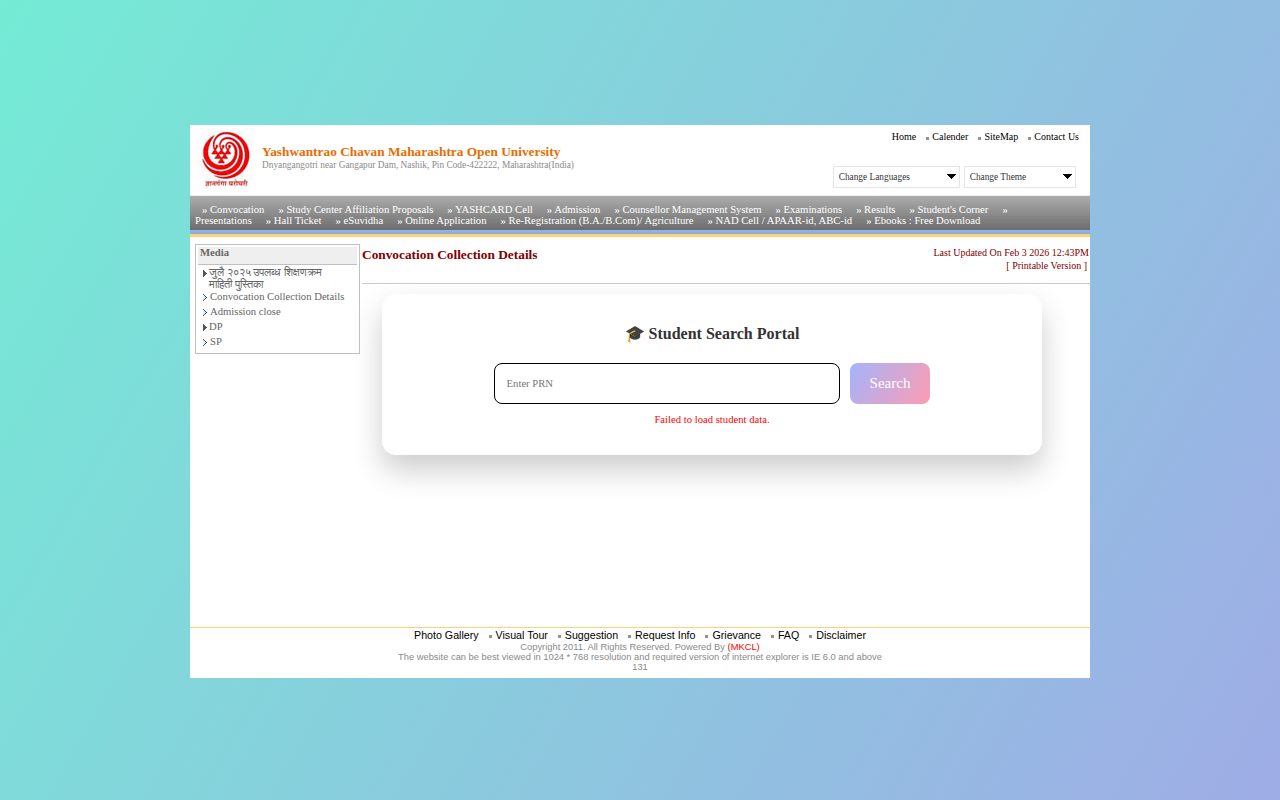
Searching Convocation Collection Details
Students can verify their convocation collection status through the dedicated portal on the university site.
- Open the YCMOU Convocation Collection Details page.
- Enter your Permanent Registration Number in the “Enter PRN” field.
- Click “Search” to generate your collection details.
Postal Tracking of Dispatched Certificates
Physical certificates distributed after convocation are dispatched to students by post. Delivery status can be tracked directly on the India Post portal using details listed on the YCMOU convocation page.
- Open the relevant convocation delivery status report on the university website.
- Press Ctrl + F and enter your PRN to locate your record.
- Copy the Envelope Number, Certificate Number, Programme Code, and Bar Code displayed next to your PRN.
- Open the India Post tracking page and enter the Bar Code into the Tracking Code field to view delivery progress.
Migration Certificates and Transcripts
YCMOU has not published specific guidelines, online application links, or fee structures for issuing Migration Certificates or Official Academic Transcripts on its site as of 02 October 2026.
Students requiring migration certificates or transcripts should contact the Examination Section or Student Facilitation Center (SFC) at the Nashik headquarters directly to learn about offline application procedures and documentation requirements.
Contact Details for Certificate Enquiries
For issues related to DigiLocker, degree certificate errors, or non-receipt of marksheets, contact the Student Facilitation Center or Examination Section using the official contact channels on the YCMOU Contact Us page.
YCMOU Certificate and Exam Support Directory
| Department / Purpose | Contact Information |
|---|---|
| Student Facilitation Center (SFC) / DigiLocker Enquiries | Phone: 0253-2230734, 0253-2231715, 0253-2230058 Email: ycmousfc@gmail.com |
| Exam Section (Hall Tickets, Marksheets, Results, Degree Status) | Deputy Registrar, Exam Section 1/2/3, YCMOU, Dnyangangotri, Near Gangapur Dam, Nashik – 422222 Phone: 0253-2230716, 0253-2280058, 0253-2230013 |
| Registration Section (Admissions, Name Change, Fees) | Registration Section, YCMOU, Nashik – 422222 Phone: 0253-2231715, 0253-2230580 |
Important YCMOU links
| What you can do | Official page |
|---|---|
| Search convocation certificate collection status by PRN | ycmou.digitaluniversity.ac/Content.aspx?ID=1521 |
| View convocation circulars and attendee notices | ycmou.digitaluniversity.ac/Content.aspx?ID=28329 |
| Contact university exam and registration sections | ycmou.ac.in/contact-us/ |
| Access Student Corner for exam services | ycmou.ac.in/student-corner |
Official documents (PDF)
- Student Registration Flow for DigiLocker for getting Digital Degree Certificate PDF — Step-by-step DigiLocker registration guide for downloading YCMOU degree certificates
Frequently asked questions
How can I download my YCMOU degree certificate from DigiLocker?
Log in to DigiLocker, navigate to the Education section, and select Yashwantrao Chavan Maharashtra Open University, Nashik. Click on Degree/Diploma Certificate, enter your PRN, Seat Number, Candidate’s Name, and Passing Year, then click Get Document to download your PDF certificate.
How can I download my YCMOU degree or diploma certificate from DigiLocker using my roll number and registration?
On the DigiLocker platform, locate YCMOU under the Education category. Fill in your PRN (Permanent Registration Number), Seat Number, Candidate’s Name, and Passing Year, then click Get Document to pull your digital certificate into your issued documents.
How can I get my YCMOU degree certificate?
You can get a digital copy immediately via DigiLocker by entering your PRN and Seat Number. For physical certificates, you can collect them during the annual convocation ceremony or track postal dispatch on the India Post portal using the Bar Code provided in YCMOU convocation reports.
How do I check my YCMOU convocation certificate postal dispatch status?
Open the convocation report on the YCMOU portal, locate your PRN using Ctrl+F, and copy the Bar Code number listed next to your details. Enter that Bar Code as the tracking code on the India Post tracking page.
How can I apply for a Migration Certificate or Transcript from YCMOU?
YCMOU has not published an online portal or fee structure for migration certificates or official transcripts on its site as of 02 October 2026. You must contact the Examination Section at the Nashik headquarters directly for guidance.
Who do I contact if there is an error in my YCMOU degree certificate?
Contact the Student Facilitation Center (SFC) at 0253-2230734 / 0253-2231715 or email ycmousfc@gmail.com. You can also contact the Deputy Registrar in the Examination Section at YCMOU headquarters, Nashik.
Sources
Written from the official YCMOU pages and documents below, as read on 2 October 2026.
- 23rd Convocation – February 2017 * ycmou.digitaluniversity.ac/…/Content.aspx
- Convocation Collection Details ycmou.digitaluniversity.ac/…/Content.aspx
- Student Registration Flow for DigiLocker for getting Digital Degree Certificate ycmou.ac.in/…/YCMOU-Digilocker-Presentation.pdf
- Convocation ycmou.digitaluniversity.ac/…/Content.aspx
- Contact Us ycmou.ac.in/…/contact-us