
How to Register on YCMOU Oasis Portal: Online Admission Login and Steps
Part of YCMOU Admission: YCMOU Admission 2026: Portals, Course Eligibility and Fee Schedules
YCMOU manages online admissions, re-registrations, and student services through its official digital university portal at ycmou.digitaluniversity.ac, widely referred to as the YCMOU Oasis portal. For the July 2026 session, online admission form submission was extended to 13 October 2026.
YCMOU online admission forms for the July 2026 session were extended until 13 October 2026. A Permanent Registration Number generation confirms candidate admission across distance and online programmes at YCMOU. Candidates for YCMOU online and offline Master of Business Administration programmes must secure a non-zero score in YCMOU MBA CET. Special fee concessions reduce First Year MBA fees to 10 Rupees for visually impaired, prisoner, transgender, orphan, and HIV-affected students.
Yashwantrao Chavan Maharashtra Open University, also known as YCMOU, manages distance and online education admissions through its digital university portal at ycmou.digitaluniversity.ac, often searched by learners as the YCMOU Oasis portal. For the July 2026 academic session, prospective and enrolled students use this single platform for submitting fresh admission forms, generating Permanent Registration Numbers, paying programme fees, downloading exam hall tickets, and viewing term-end results.
YCMOU oasis portal: ycmou.digitaluniversity.ac website
Yashwantrao Chavan Maharashtra Open University handles student registrations, application forms, re-registration, and examination services through its online portal at ycmou.digitaluniversity.ac. While distance learners commonly search for this platform as the YCMOU Oasis portal, official university documentation designates it as the Digital University portal. The site connects new applicants, continuing students, and affiliated Learner Support Centres across Maharashtra to standardise administrative workflows and academic tracking.
- New Student Registration: Generates user credentials for fresh admission applications.
- Student Login: Accesses existing learner profiles using Permanent Registration Numbers.
- Re-Registration: Enables Second Year and Third Year admissions for continuing learners.
- Hall Ticket and Examination: Provides downloadable admit cards and online examination links.
- Result Verification: Displays subject-wise marks and semester evaluation status.
YCMOU Admission Portal Last Date: July 2026 Application Extension to 13 October 2026
The university updated the official admission deadlines for the July 2026 academic session to accommodate prospective distance learners across undergraduate, postgraduate, diploma, and certificate offerings. Applicants submitting fresh registration forms were given an extended deadline of 13 October 2026 until 12:00 PM to finalize application details online. The online payment portal remained functional until 11:59 PM on the same date to complete fee processing.
YCMOU July 2026 Session Admission Extension Deadlines
| Activity Event | Original / Standard Window | Extended Deadline Date | Closing Time Limit |
|---|---|---|---|
| Online Admission Form Submission | July 2026 Session | 13 October 2026 | 12:00 PM |
| Online Admission Fee Payment | July 2026 Session | 13 October 2026 | 11:59 PM |
YCMOU admission login: 16-digit PRN credentials
Enrolled students access personal profiles, academic status, and official services through the student login menu on the digital university website. The login system uses the student’s assigned 16-digit Permanent Registration Number as the primary username identifier once issued during formal enrolment. Candidates logging in receive access to academic records, study centre assignments, home assignment submissions, and examination registration links.
- Navigate to the official YCMOU admission portal and locate the Student Login option.
- Select the appropriate portal link based on your PRN series (e.g., New Portal for PRNs starting with 25 or 26, or Old Portal for PRNs starting with 20).
- Enter your 16-digit Permanent Registration Number into the username field.
- Enter your account password as configured during initial account setup or profile creation.
- Click the login button to open the personalized student dashboard.
More from YCMOU
YCMOU Admission Registration Steps: Online Form Submission Procedure
Prospective distance learners applying for diploma, degree, or postgraduate courses must follow a structured online procedure on the official portal. Applicants complete personal registration, select their desired programme, choose an authorized Learner Support Centre, upload scanned copies of eligibility documents, and complete online fee payment. Admission is finalized only after document verification and formal PRN allocation.
- Visit the YCMOU July 2026 admission portal and select the appropriate entry link for fresh or continuing admission.
- Create a candidate profile by entering basic personal details, contact mobile number, email address, and Academic Bank of Credits ID.
- Fill out the detailed online application form with educational qualifications and category details.
- Select your preferred course, medium of instruction, and an authorized Learner Support Centre in Maharashtra.
- Upload mandatory self-attested documents including age proof, mark sheets, and category certificates.
- Pay the total programme fee online through the integrated payment gateway.
- Print the online fee receipt and application form to submit to the study centre or headquarter for final confirmation.
YCMOU MBA CET Entrance Exam: Requirements for Online and Offline MBA
Candidates seeking admission to either the online Master of Business Administration (P130) or the distance learning Master of Business Administration (P79) must qualify through an entrance examination. YCMOU conducts the Common Entrance Test to evaluate quantitative, logical, and business awareness capabilities. Applicants must obtain a non-zero score in the CET to become eligible for online registration and seat assignment.
YCMOU MBA Programme Options and Fee Structure (July 2026)
| Programme Name | Programme Code | First Year Fee | Second Year Fee | Entrance Exam Requirement |
|---|---|---|---|---|
| Master of Business Administration (Online) | P130 | Rs. 28,076 | Rs. 29,006 | YCMOU MBA-CET Non-Zero Score |
| Master of Business Administration (Distance) | P79 | Rs. 17,976 | Rs. 21,156 | YCMOU MBA-CET Non-Zero Score |
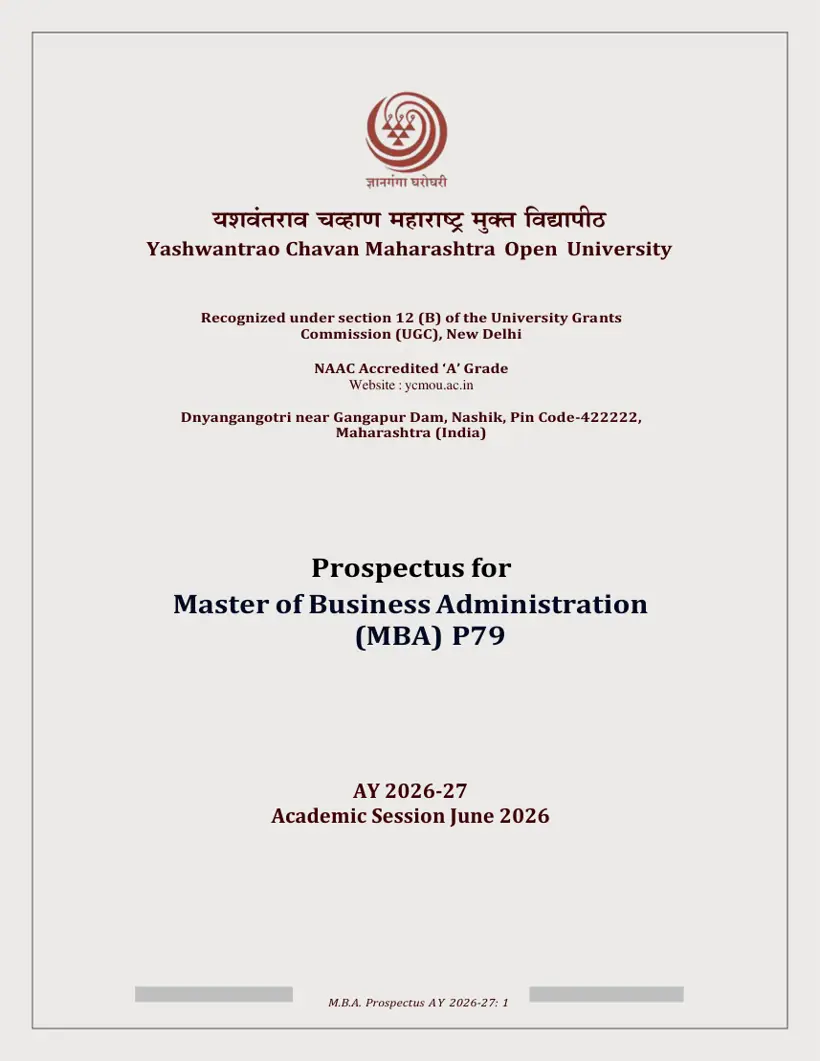
YCMOU Hall Ticket Download Procedure: Portal Access for Examinations
Students appearing for term-end theory or practical examinations must download their official admit card directly from the online portal before entering the exam hall. Hall tickets contain the candidate’s seat number, examination centre name, course codes, and scheduled exam dates. The university activates dedicated testing links during active examination events to allow seamless admit card retrieval using the student’s PRN.
- Open the main YCMOU Student Corner link or main navigation menu on the portal.
- Click on the Hall Ticket section link active for the current examination event.
- Select your enrolled programme and examination event from the available dropdown choices.
- Enter your 16-digit Permanent Registration Number.
- Click on the search or download button to generate the online hall ticket.
- Verify all printed details and take a physical printout to present at the designated examination centre.
YCMOU Exam Results and Marksheet Download: Verification on Digital University Portal
Semester and term-end examination results are published on the official portal for student verification. Learners can check course-wise Continuous Assessment marks and End Examination scores to confirm pass or fail status based on minimum evaluation thresholds. Successful learners obtain statement of marks through the portal, while official physical marksheets and degree certificates are dispatched or awarded during annual convocation ceremonies.
- Visit the official portal and select the Results tab from the top navigation bar.
- Select the active examination event (e.g., August / September 2026 Online Exams).
- Enter your 16-digit PRN or seat number in the provided input box.
- Submit the query to display the online mark statement.
- Download or print the online result sheet for academic record keeping.
YCMOU Admission Helpline and Contact Details: Support for Login and Payment Issues
When candidates encounter technical errors during online form submission, payment failures, or profile registration issues, YCMOU provides dedicated support through the Student Services Division and Registration Head. Administrative offices operate on working days from 10:00 AM to 1:30 PM and 2:00 PM to 5:30 PM, remaining closed on the first and third Saturdays and all Sundays.
- General Admission and Technical Queries Mobile: 9307579874, 9307567182, 9272046725
- Admission Office Landline Phones: (0253) 2230106, (0253) 2231714, (0253) 2231715, (0253) 2230580
- Registration Section Email: nondani@ycmou.digitaluniversity.ac
- Online Fee Payment Technical Issues Email: ycmou_support@unisuite.in
- Student Services Division Phone: (0253) 2231478
- Examination Unit-2 Email: examcomp.ycmou@gmail.com | Phone: (0253) 2230058
What students ask about Register on YCMOU Oasis Portal
What is the admission process for YCMOU courses?
Candidates complete online admission for YCMOU courses by visiting ycmou.digitaluniversity.ac, filling in personal and academic details, and generating a 16-digit Permanent Registration Number. Applicants for the July 2026 session had to submit online forms by 13 October 2026 at 12:00 PM and pay fees by 11:59 PM. Applicants upload self-attested documents and an ABC ID before submitting online payment. If fee transactions fail, email ycmou_support@unisuite.in or call (0253) 2230106.
Is there an entrance exam (CET) for the YCMOU B.Ed course?
Yes, YCMOU requires candidates to clear an official entrance examination for professional programmes like B.Ed. (P108) and B.Ed. Special Education (P21). Applicants must register for the CET notification published on ycmou.digitaluniversity.ac and obtain qualifying marks before applying for admission. For example, B.Ed. Special Education candidate notifications for 2026–29 require entrance registration before portal form filling. If portal registration fails, contact nondani@ycmou.digitaluniversity.ac or the Nashik helpline at (0253) 2231714.
Are there entrance exams for YCMOU courses, specifically B.Ed?
Yes, entrance exams apply to specific professional courses at YCMOU, including B.Ed. (P108), B.Ed. Special Education (P21), and MBA programmes (P79 and P130). Candidates must obtain a non-zero qualifying score in the YCMOU Common Entrance Test to become eligible for online seat registration. For July 2026 admissions, qualifying applicants completed online form submission at ycmou.digitaluniversity.ac before 13 October 2026. If entrance score verification encounters errors, students should email nondani@ycmou.digitaluniversity.ac for registration support.
What is the admission process for the YCMOU B.Ed course?
Admission to YCMOU B.Ed. and B.Ed. Special Education (P21) requires candidates to clear the university entrance test, meet teaching experience or eligibility rules, and register on ycmou.digitaluniversity.ac. Candidates upload marksheets, experience certificates, and ABC ID during the session window, such as July 2026. Once verified, learners complete online fee processing and collect the receipt for study centre confirmation. If registration fails or documents reject, contact the Student Services Division at (0253) 2231478.
How to get admission to YCMOU?
To get admission to YCMOU, candidates must check eligibility guidelines, register on ycmou.digitaluniversity.ac, fill out the application form, and submit full online fees. For the July 2026 session, application form submission was extended until 13 October 2026 at 12:00 PM, with payment allowed until 11:59 PM. Applicants must upload mandatory self-attested marksheets and create an ABC ID to generate a Permanent Registration Number. If experiencing portal login errors, contact nondani@ycmou.digitaluniversity.ac.
Can I transfer credits from another university to YCMOU?
YCMOU requires all students to register an Academic Bank of Credits (ABC ID / APAAR ID) on ycmou.digitaluniversity.ac to enable credit tracking under UGC guidelines. While external credit transfer rules are not separately listed as of 21 October 2026, credits accumulated in ABC facilitate official academic mapping. Applicants filling out July 2026 admission forms must input their valid ABC ID during profile creation. If ABC ID validation fails on the portal, learners should contact nondani@ycmou.digitaluniversity.ac.
What is the YCMOU Oasis portal and how do students access it?
The YCMOU Oasis portal is the digital university website located at ycmou.digitaluniversity.ac used for online admissions, hall tickets, re-registrations, and exam results. Prospective and enrolled learners select their required academic session, such as July 2026, to access fresh application links or student dashboards. Applicants log in using their assigned 16-digit Permanent Registration Number once generated. If access to the digital university portal is blocked, students should contact technical helpline numbers 9307579874 or 9307567182.
How do students log in to the YCMOU admission portal using a PRN?
Students access the YCMOU admission login page on ycmou.digitaluniversity.ac by selecting the portal link corresponding to their Permanent Registration Number series. Learners with PRNs starting with 25 or 26 use the New Admission Portal, while those starting with 20 use the Old Admission Portal. Users enter their 16-digit PRN as the username alongside their established password to view profile details and hall tickets. If login credentials fail, learners should email nondani@ycmou.digitaluniversity.ac.
What documents are required for online admission registration at YCMOU?
Candidates registering for YCMOU online admission must upload self-attested copies of age proof, educational marksheets, and a valid Academic Bank of Credits ID. Mandatory age proof includes an Aadhar Card, PAN Card, driving license, or birth certificate. Applicants for July 2026 courses upload 10th or 12th marksheets directly to ycmou.digitaluniversity.ac before online fee payment. If document verification fails during study centre checking, applicants must resubmit clear files or contact nondani@ycmou.digitaluniversity.ac.
How much is the YCMOU MBA programme fee for first-year students?
The YCMOU First Year MBA fee is Rs. 17,976 for distance learning (P79) and Rs. 28,076 for online mode (P130) for the July 2026 session. However, visually impaired, prisoner, transgender, orphan, and HIV-affected candidates pay a concessions fee of Rs. 10 under special university policy. All fees must be paid online in full during portal registration on ycmou.digitaluniversity.ac after obtaining a non-zero score in MBA CET. If transaction errors occur during fee payment, write to ycmou_support@unisuite.in.
How can students cancel their YCMOU admission and apply for a fee refund on the portal?
Learners seeking admission cancellation must submit a written refund application on or before the official last date of admission notified by the university. Applicants submit their written request along with a bank passbook copy, original online fee receipt, and printed application form to the university. Fee refunds for cancelled admissions follow rules prescribed by the University Grants Commission (UGC). If cancellation support is required, students can contact the Student Services Division at (0253) 2231478 or email dir_ssd@ycmou.digitaluniversity.ac.
What are the working hours and helpline numbers for YCMOU online admission technical support?
YCMOU provides technical admission assistance on working days from 10:00 AM to 1:30 PM and 2:00 PM to 5:30 PM. The admission helpdesk remains closed on the first and third Saturdays of each month and on all Sundays. Students facing portal technical issues can call mobile numbers 9307579874, 9307567182, or 9272046725, or landline (0253) 2230106. For email support regarding registration errors, applicants should write directly to nondani@ycmou.digitaluniversity.ac.
What was the extended deadline for July 2026 online admission application submission and fee payment on the YCMOU portal?
For the July 2026 academic session, YCMOU extended online admission application submission until 13 October 2026 at 12:00 PM and fee payment until 11:59 PM. Candidates completed form submission and profile generation on ycmou.digitaluniversity.ac before these cutoff times. Under UGC guidelines, no late applications are accepted after the declared deadline passes. If applicants encountered payment portal failures during submission, they were instructed to email ycmou_support@unisuite.in or call (0253) 2230106.
How can students download their term-end examination hall ticket on the YCMOU digital university portal?
Enrolled students download their examination hall ticket by visiting ycmou.digitaluniversity.ac and navigating to the Hall Ticket link under the Student Corner section. Learners select their specific academic programme and examination event, then enter their assigned 16-digit Permanent Registration Number to generate the admit card. The physical printout displaying seat numbers and exam centre details must be presented at the designated examination centre. If hall ticket generation fails or shows incorrect course details, students must email examcomp.ycmou@gmail.com or call (0253) 2230058.
How do YCMOU students re-register for subsequent academic years?
YCMOU students re-register for subsequent academic years, such as Second Year or Third Year, through the digital university portal at ycmou.digitaluniversity.ac. Re-registration is permitted only once, after completing the maximum four-year program duration, and must be done within the subsequent three years. Learners should apply for re-registration as soon as their initial registration period ends. If re-registration encounters issues, students can contact the Student Services Division at (0253) 2231478 for assistance.
Which portal link should students select on the YCMOU Oasis admission login page?
Applicants select the admission portal link on ycmou.digitaluniversity.ac according to their admission type and Permanent Registration Number prefix. Fresh applicants and learners with PRNs starting with 25 or 26 must select the New Admission Portal link. Continuing students holding PRNs starting with 20 who apply for Second Year or Third Year must select the Old Admission Portal link. If incorrect portal links cause login errors, students should contact nondani@ycmou.digitaluniversity.ac.
Where to go on the YCMOU site
| What you can do | Official page |
|---|---|
| Access July 2026 online admission portal | ycmou.digitaluniversity.ac ↗ |
| View July 2026 academic session prospectuses | ycmou.digitaluniversity.ac ↗ |
| Contact university administrative support staff | ycmou.ac.in ↗ |
| Access student corner and login services | ycmou.ac.in ↗ |
Key facts
- University Name
- Yashwantrao Chavan Maharashtra Open University (YCMOU)
- Primary Admission Portal
- ycmou.digitaluniversity.ac
- July 2026 Application Extension
- 13 October 2026 (12:00 PM)
- July 2026 Fee Extension
- 13 October 2026 (11:59 PM)
- Mandatory ID for Admission
- Academic Bank of Credits (ABC ID / APAAR ID)
- Online MBA 1st Year Fee
- Rs. 28,076
- Offline MBA 1st Year Fee
- Rs. 17,976
More on Admission
- YCMOU Digitaluniversity AC Online Admission July 2026 Session
- YCMOU Admission 2026: Portals, Course Eligibility and Fee Schedules
- When Is the YCMOU Admission Last Date for July 2026 Session?
- YCMOU MBA Fees 2026-27: Course Fee Structure and Payment Details
- How Do I Access the YCMOU Prospectus Online? Academic Sessions, Links and Courses
- What is the YCMOU B.Ed Eligibility Criteria for 2026-29 Admission?